Stop rebuilding portfolios by hand
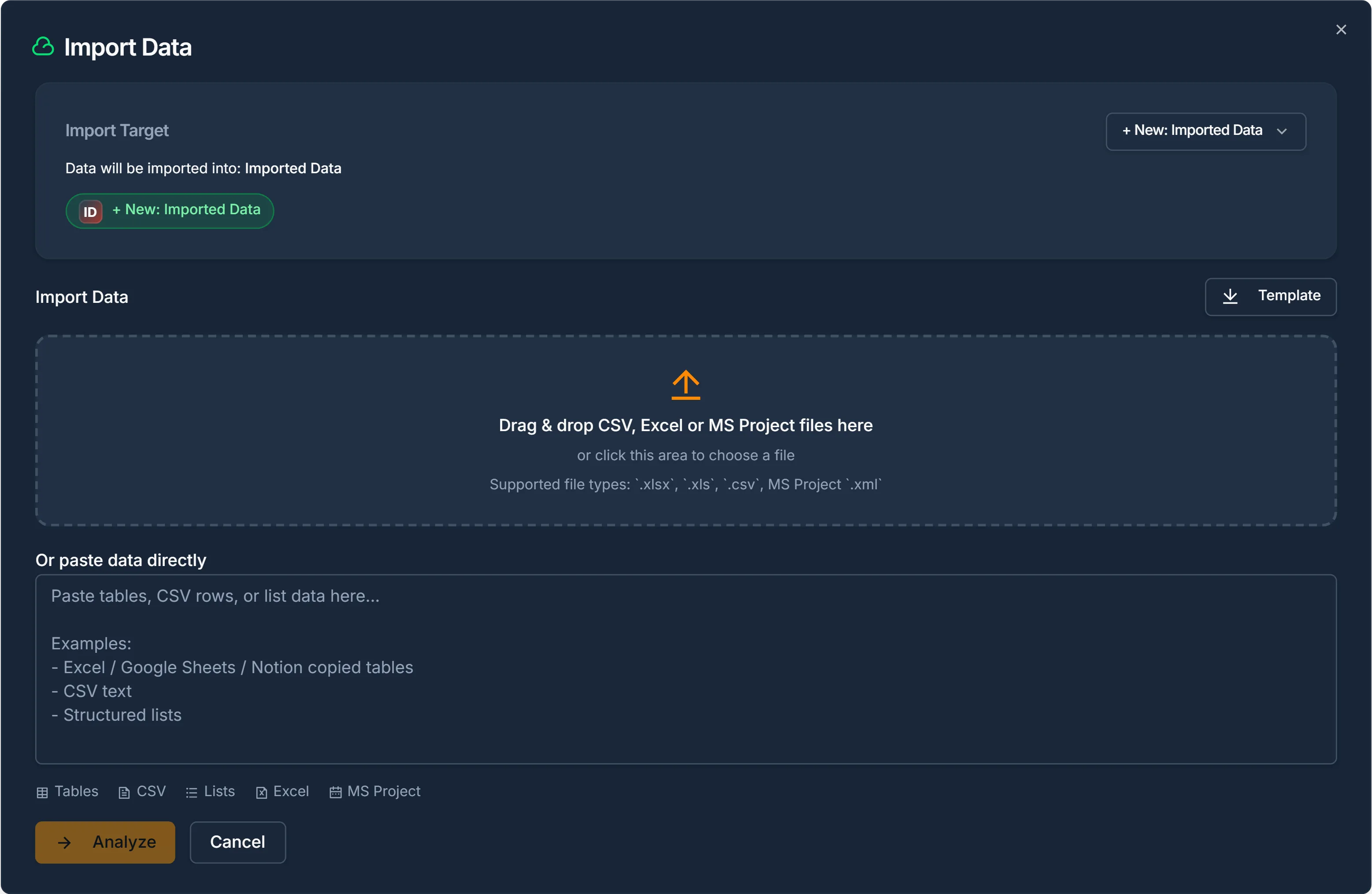
Your project data already exists, in spreadsheets, exports, Microsoft Project files. Vaizy imports it with structure intact: projects linked to milestones, teams connected to budgets, risks attached to delivery. One upload. Zero re-entry.

 Not StartedMedium20 Nov
 Not StartedMedium27 Nov
 Not StartedHigh18 Dec
 In ProgressHigh17 NovNot StartedMedium1 DecNot StartedHigh7 DecCompletedMedium17 SepNot StartedMedium24 DecCompletedMedium24 OctIn ReviewHigh2 NovBlockedMedium25 OctCompletedMedium26 OctIn ProgressHigh30 OctIn ProgressMedium7 Nov
Migration that actually works
Most tools promise easy import but deliver broken references and weeks of manual cleanup. Vaizy validates data before it touches your workspace, flagging duplicates, missing owners, and invalid dates so you start clean.
Microsoft Project import
Import a Microsoft Project .xml (MSPDI) file or a CSV or Excel export. Summary tasks become milestones, subtasks become deliverables, and resources become team members. Predecessors keep their link type and lag.
Import from CSV and Excel without re-entering a single project manually.
Smart field mapping
Vaizy suggests column mappings automatically. Review, adjust, and confirm, your spreadsheet structure maps directly to the portfolio data model.
Bring Microsoft Project plans across with their structure, links, and team intact.
Pre-publish validation
Every row gets checked for broken links, invalid dates, missing owners, and duplicate entries before data enters the workspace.
Map spreadsheet columns to Vaizy fields for milestones, teams, risks, and budgets.
Connected from day one
Imported projects automatically link to their milestones, team members, risk records, and financial entries. No manual re-linking needed.
Catch duplicates, broken references, and missing data before anything goes live.

Microsoft Project import
Bring your Microsoft Project plans straight into Vaizy. Upload the .xml file or a CSV or Excel export, and Vaizy rebuilds the plan as milestones, deliverables, team members, and dependencies. No re-keying, no conversion step.
Supported files
- The file is read in your browser. Nothing is published until you review it.
- Outline levels and WBS codes set the structure, even when the summary column is missing.
- Large plans (up to 5,000 tasks), blank outline-solid levels, and broken XML are all handled safely.
- A link without an explicit type imports as finish-to-start, just like in Microsoft Project.
- Summary tasksMilestones
- SubtasksDeliverables of that milestone
- Start, Finish, % CompleteDates, progress, and status
- Resources and assignmentsTeam members
- Predecessors (FS, SS, FF, SF, lag)Milestone dependencies
How it works
Upload your spreadsheet export from any PMO, ERP, or planning tool.
Review the suggested field mappings and adjust where needed.
Validate the import, fix flagged issues, and publish clean data into Vaizy.
Start with the data you already have
Better project control should not begin with weeks of manual re-entry. Import your existing portfolio and be operational by end of day.